 Laser Engraver Reviews
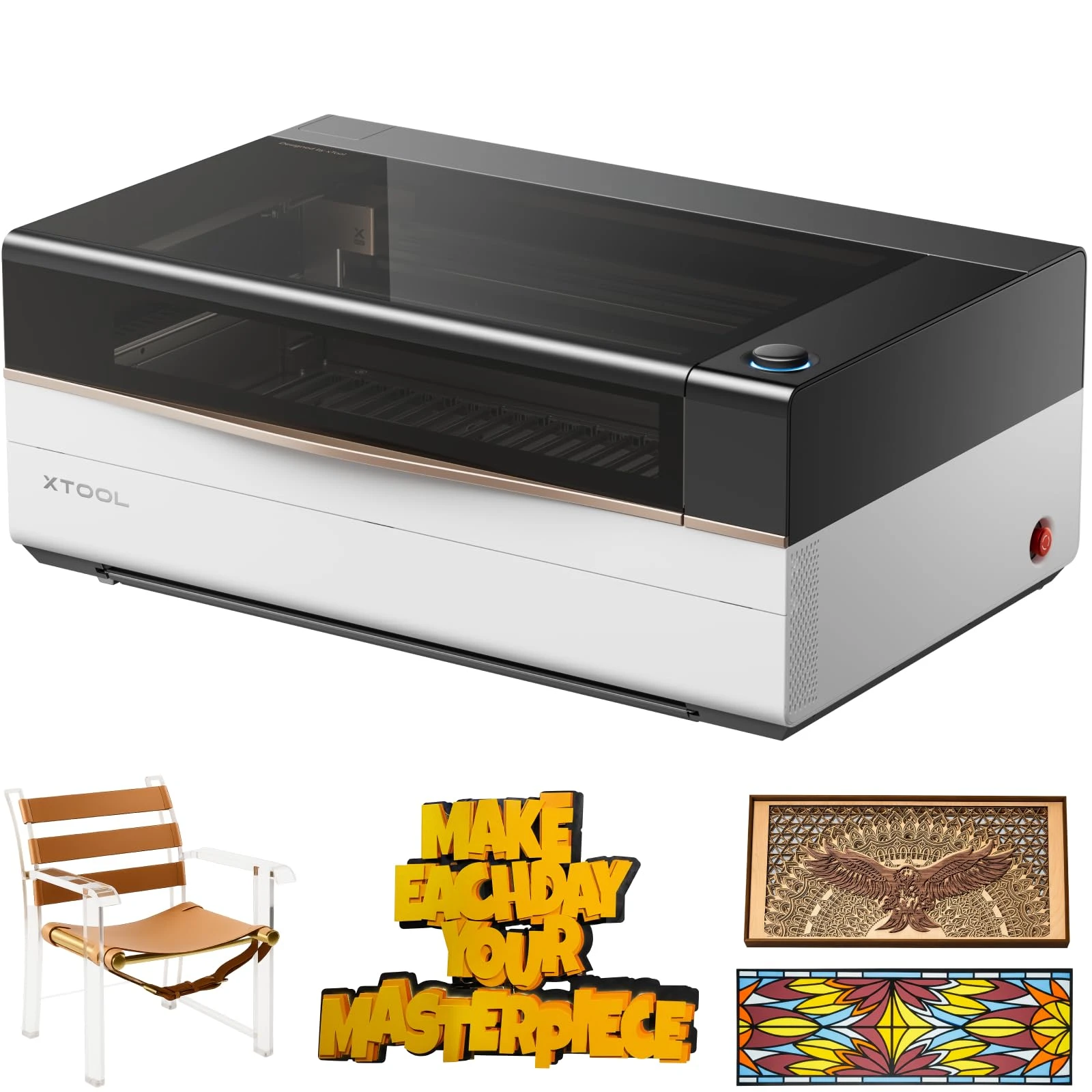
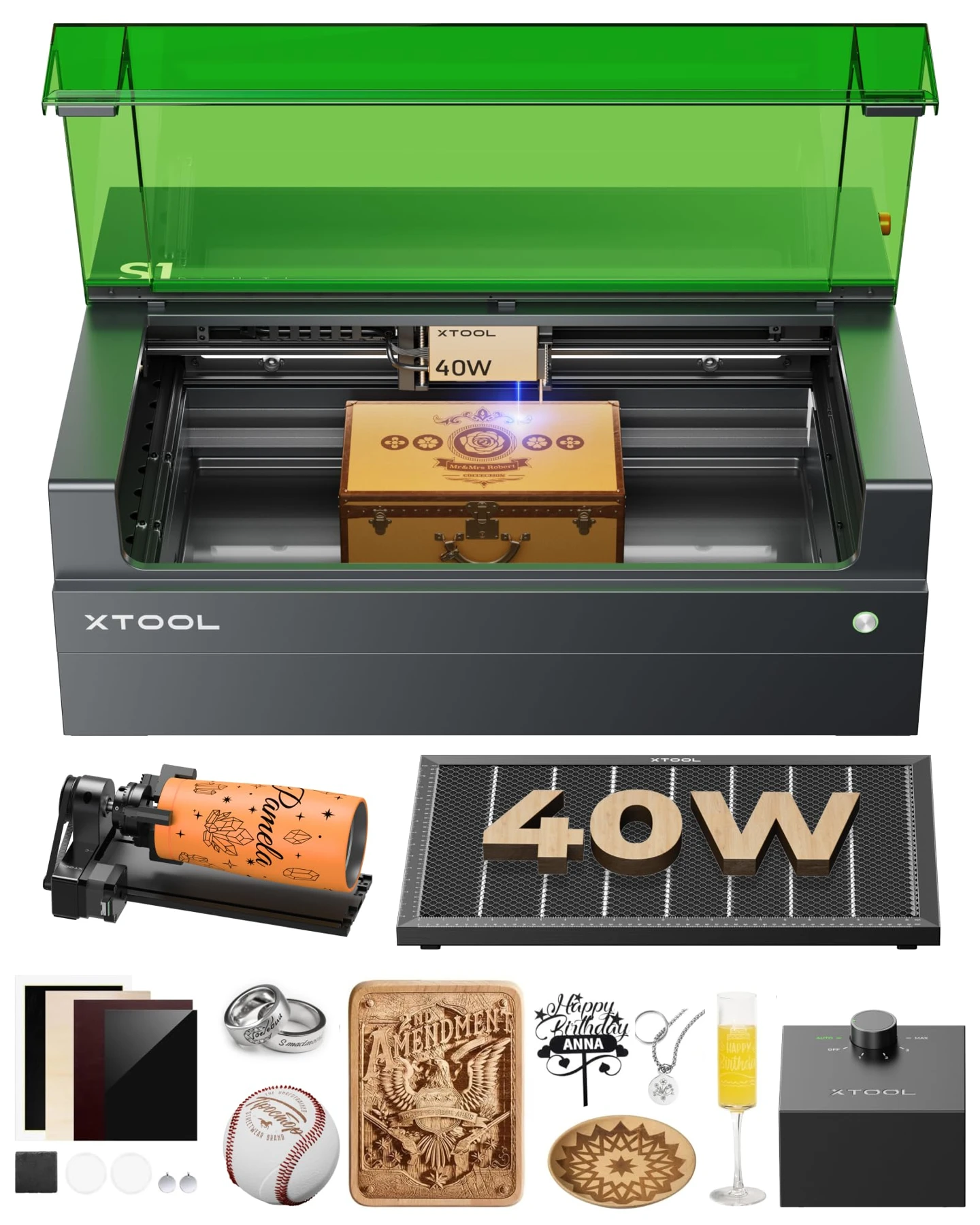
The xTool S1 40W targets small business owners and serious hobbyists who need a spacious enclosed workspace for cutting wood and engraving cylindrical items like tumblers without stepping up to an industrial machine. Its main advantage is combining a 40W blue diode optical output with a generous 23.93 × 15.16-inch bed and an included rotary attachment, while its central limitation is that blue diode wavelengths cannot process clear or light-colored acrylics effectively.
In this guide
Cutting and Material Capabilities
The xTool S1 40W is built primarily for cutting wood and other compatible nonmetal materials. Its 40W diode module combines multiple laser emitters into a concentrated beam, giving it considerably more cutting capability than typical lower-powered hobby engravers.
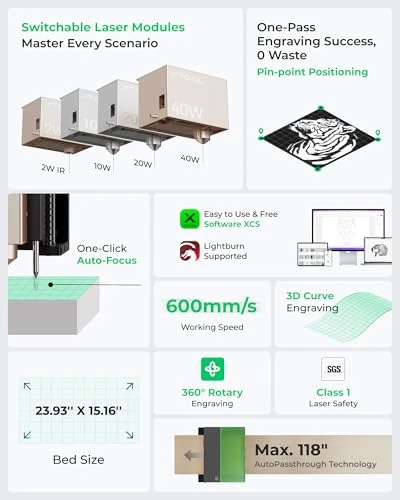
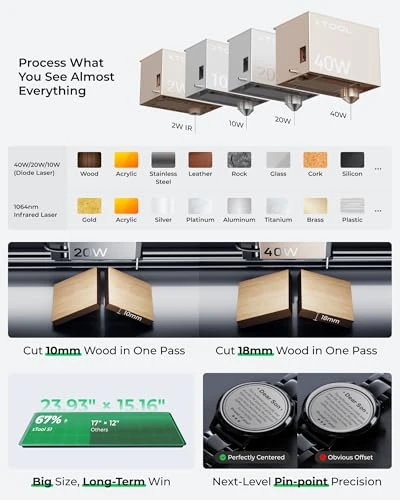
xTool advertises single-pass cutting of up to 18mm cherry wood, 15mm dark opaque acrylic, and 0.1mm stainless steel under specified conditions. These are manufacturer-rated capabilities, not independent test guarantees.
Wood and plywood
Wood is where the S1 makes its strongest case. For layered wall art, custom signs, ornaments, or decorative boxes, the 40W laser offers useful cutting capacity without requiring a CO2 machine. Actual results vary with species, moisture, density, and glue layers in plywood. Air assist helps clear smoke and debris, potentially reducing edge discoloration.
The large bed allows several small designs to be arranged on a sheet, reducing repeated loading for production orders.
Acrylic: The wavelength limitation
The 40W blue diode can cut certain dark, opaque acrylic sheets, but clear acrylic and some light-colored materials do not absorb blue light efficiently. More power does not eliminate that limitation. For clear acrylic display stands or broad acrylic-color compatibility, a CO2 laser is generally the better tool. Mirrored surfaces, blue materials, and some extruded acrylics also require special caution.
Can it cut metal?
The S1 40W is not a general-purpose metal cutter. Its advertised extremely thin stainless-steel cutting ability should not be confused with industrial fiber laser cutting. Marking some metal surfaces is possible, but bare silver, gold, and aluminum require different consideration. xTool sells a separate 1064nm infrared module for compatible metal and plastic engraving; it is not the included 40W diode head.
Precision, Speed, and Workflow
xTool specifies a 0.08 × 0.10mm spot for the 40W module versus 0.08 × 0.06mm for its 20W S1 variant. Smaller spots can help with fine lettering and intricate line work, while the 40W head prioritizes cutting power. For wooden signs and personalized gifts, the 40W spot can still produce detailed results.
Twin-point positioning
Instead of an overhead camera preview, the S1 uses twin-point positioning: the operator marks reference points to define a work area. This can work well with regular sheets and repeat jobs, but buyers who frequently align designs to irregular objects may prefer camera-assisted positioning.
The advertised 600mm/s speed is not a thick-material cutting speed. Cutting requires adequate energy per unit of travel, so operators often slow down or use multiple passes. Real production time includes setup, focusing, processing, cooling, and unloading. A large work area can improve throughput by allowing more items per batch. Optional conveyor equipment can extend processing length to 3,000mm, but is not part of every package.
The S1 supports xTool Creative Space and LightBurn. Manufacturer software offers integrated positioning, focusing, and machine-specific features. LightBurn is useful for established design workflows, but some S1-specific positioning and curved-surface functions are not fully supported there.
Rotary engraving and tumblers
The Rotary Bundle is relevant for buyers personalizing tumblers and cylindrical products. A compatible rotary rotates the object during engraving; coated tumblers can be marked by removing or changing the coating. The required clearance may mean adding a riser base. Confirm that the exact package includes the necessary riser, rotary attachment, and mounting accessories.
Safety, Specifications, and Practical Limitations
The enclosed construction is an advantage over open-frame machines, especially in shared workshops. The S1 includes lid detection and other protective features, including flame detection. An enclosure does not eliminate fire risk or fumes. Appropriate exhaust or filtration is still necessary, and laser jobs should not be left unattended.
Regular maintenance includes cleaning the lens and protective optics, clearing debris, and inspecting ventilation. A honeycomb panel or suitable slat arrangement can help support materials during cutting.
The machine requires a stable, dedicated workspace. The advertised 23.93 × 15.16-inch bed should not be confused with the smaller usable processing area of the 40W module, approximately 19.61 × 12.56 inches.
Complete setup costs may include air assist, honeycomb panel, riser, exhaust or filtration, replacement filters, and rotary fixtures. Blue diode technology also remains unsuitable for many clear-acrylic jobs and demanding metal processing.
| Specification | xTool S1 40W |
|---|---|
| Laser technology | Blue diode laser |
| Optical output | 40W |
| Laser wavelength | 455 ± 5nm |
| Bed size (advertised) | 23.93 × 15.16 inches |
| 40W module processing area | Approximately 19.61 × 12.56 inches |
| Maximum processing speed | 600mm/s |
| Laser enclosure | Fully enclosed design |
| Positioning | Twin-point positioning system |
| Focusing | Automatic focus adjustment |
| Software | xTool Creative Space; LightBurn for supported operations |
| Rotary engraving | Supported with compatible rotary attachment |
| Listed configuration | Rotary Bundle (verify exact seller contents) |
The 40W rating refers to optical laser output, not total electrical power consumption. The 600mm/s figure is an advertised maximum processing speed, not a promise that every job runs at that speed.
Target Audience Analysis
Personalized-gift businesses can benefit from the larger bed, rotary capability, and wood, leather, and coated-product processing. Woodworking hobbyists and sign makers get meaningful cutting capacity for layered signs, boxes, and decorative panels. Experienced laser users upgrading from open-frame machines may value the enclosure and LightBurn support for basic operations.
Who should skip it?
Choose a CO2 laser if clear acrylic is a core material. Choose a suitable fiber laser for deep or repeated metal engraving. Occasional users making small wooden gifts may find a lower-powered enclosed engraver more economical and easier to accommodate.
S1 40W · Product video

Frequently Asked Questions
Can it engrave curved surfaces?
Yes! The xTool S1 40W features patented 3D Curve Tech specifically designed to engrave curved surfaces with stunning results.
What It Can Engrave on Curved Items:
- Tumblers & Wine glasses – The included rotary attachment holds cylindrical items for seamless 360° engraving
- Spoons & Plates – Curved dinnerware with precise detail
- Custom handles – Handles on mugs and drinkware (removable handles work best)
- Bottles & Jars – With the rotary tool
How It Works:
The 3D Curve Tech automatically adjusts the laser focus as it follows curved contours, ensuring sharp, consistent engravings across the entire surface—no manual adjustment needed. Customers consistently say it delivers "stunning results" on curved items and mention the rotary attachment works perfectly for drinkware projects.
With the Rotary Bundle:
This model includes the rotary tool standard—saving you $300+ compared to buying it separately. The 4-in-1 rotary design handles tumblers, bottles, mugs, pens, and custom shapes.
Can the xTool S1 40W cut 1/2-inch plywood?
It can cut some plywood near that thickness, but results depend on wood species, glue, moisture, and settings. Manufacturer cutting limits for specific woods should not be treated as guarantees for all plywood. Test your exact material before production.
Does the xTool S1 40W work with LightBurn?
Yes. LightBurn supports basic S1 processing, though some proprietary positioning and curved-surface functions require xTool software. Follow official setup instructions and check firmware compatibility.
Does it come with design software?
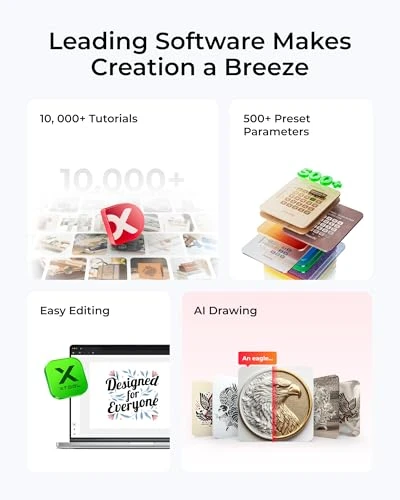
Yes, the xTool S1 40W comes with xTool Creative Space (XCS) software included for free—no additional subscription.
What's Included:
- XCS Design Software – Built-in editor with pre-tested settings for 400+ materials
- AI Design Generator – Type a few words and the software creates unique designs automatically
- 1,000+ Step-by-Step Tutorials – Guided projects for beginners
- Camera Alignment (no camera on S1, but software supports it)
- File Import – Supports SVG, DXF, PDF, PNG, JPEG, and vector formats from Adobe Illustrator or Corel
Software Compatibility:
- Works on Windows 11, Mac, and USB key installation
- You can also use LightBurn (third-party software, sold separately) if you prefer more advanced control
Customers consistently mention the software is "very user-friendly" and makes setup straightforward—even for beginners. One customer noted: "The software walks you through most laser jobs regardless of the materials."
Can the xTool S1 engrave stainless steel tumblers?
Yes, the diode module can mark or remove certain compatible tumbler coatings. Bare stainless steel behaves differently. A compatible rotary is required for cylindrical engraving, and a riser may be necessary for clearance.
What materials can it engrave?
The xTool S1 40W handles a wide variety of materials—both cutting and engraving:
Materials It Excels At:
- Wood – Cuts up to 18mm cherry/hardwood in a single pass; engraves beautifully
- Acrylic – Cuts and engraves cleanly with minimal flame damage
- Leather – Both natural and leatherette (synthetic leather)
- Metal – Engraves stainless steel, aluminum, anodized metals, and coated surfaces (not bare steel)
- Fabric – Cotton, silk, canvas with precision
- Paper/Cardboard – Cuts without heavy burn marks
- Tile, Marble, Glass, Ceramic – Engraves textures and designs
- Slate, Stone – Deep, detailed engravings
- Rubber – Dog tags, stamps, and more
What It Cannot Do:
The 40W diode laser cannot engrave bare steel or hard metals. xTool sells a separate 2W Infrared Laser Module for expanding to additional metals.
Pre-tested Materials:
xTool has tested over 400 materials with factory-optimized settings built into XCS software—just select material type and click engrave.
With the Rotary Bundle:
The rotary attachment lets you engrave cylindrical items like tumblers, wine glasses, pens, and bottles.
Verdict
The xTool S1 40W is a strong choice for woodcutting, larger projects, and personalized gift production where a blue diode laser's material limitations do not conflict with your core tasks. Its combination of high optical power, generous bed dimensions, and enclosed safety features makes it a capable production tool, provided you do not require transparent acrylic cutting or industrial metal processing.